How to Set Up New BeeApiary Beehive Scales
-
Charge the device through USB Type-C.
Choosing a charger and cable
The device does not support fast charging, including USB Power Delivery (PD). Use a standard power source with a USB Type-A port and a USB Type-A–USB Type-C cable. A USB Type-C–USB Type-C cable is not recommended for charging.
-
Install the device and sensors according to the placement guidelines.
-
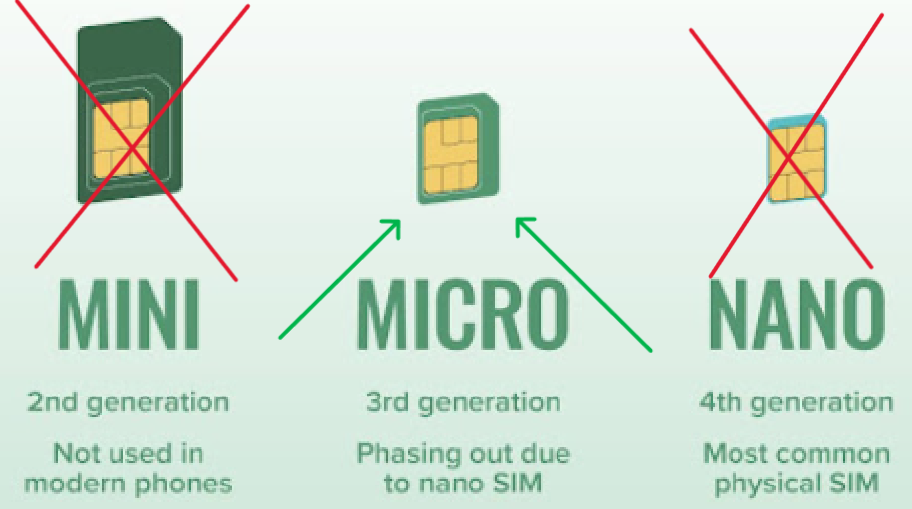
Insert a micro-SIM with PIN protection disabled.
Use the micro-SIM format:
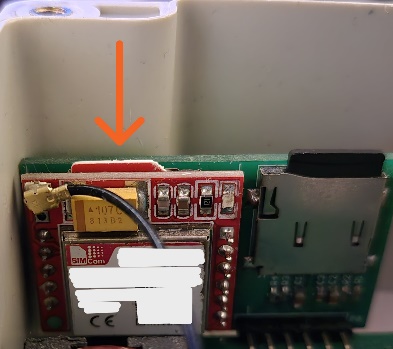
Correctly installed card:
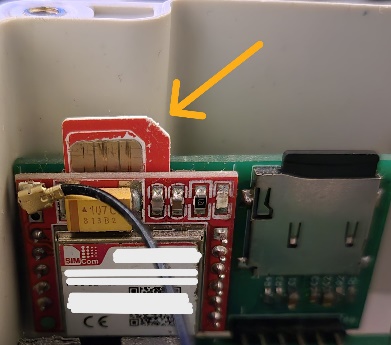
Insert the SIM card and gently press it almost completely into the slot until you hear a soft click confirming that it is locked in place:
-
Activate or restart the device: briefly hold the magnetic key against the branded mark on the back of the main unit.


For more information, see Activation and Restart.
-
Connect to
apiary_netand openhttp://192.168.4.1. - Enter the owner's phone number in international format.
- Disconnect from
apiary_netand check the first SMS message.
Result: the device collects measurements, sends them to the owner, and stores an archive.