BeeApiary App
The BeeApiary Android app receives device data, stores it on the phone, and lets you view current values, history, and charts. Data can arrive through GSM, a direct Wi-Fi connection to the device, the apiary Wi-Fi network, or Bluetooth.
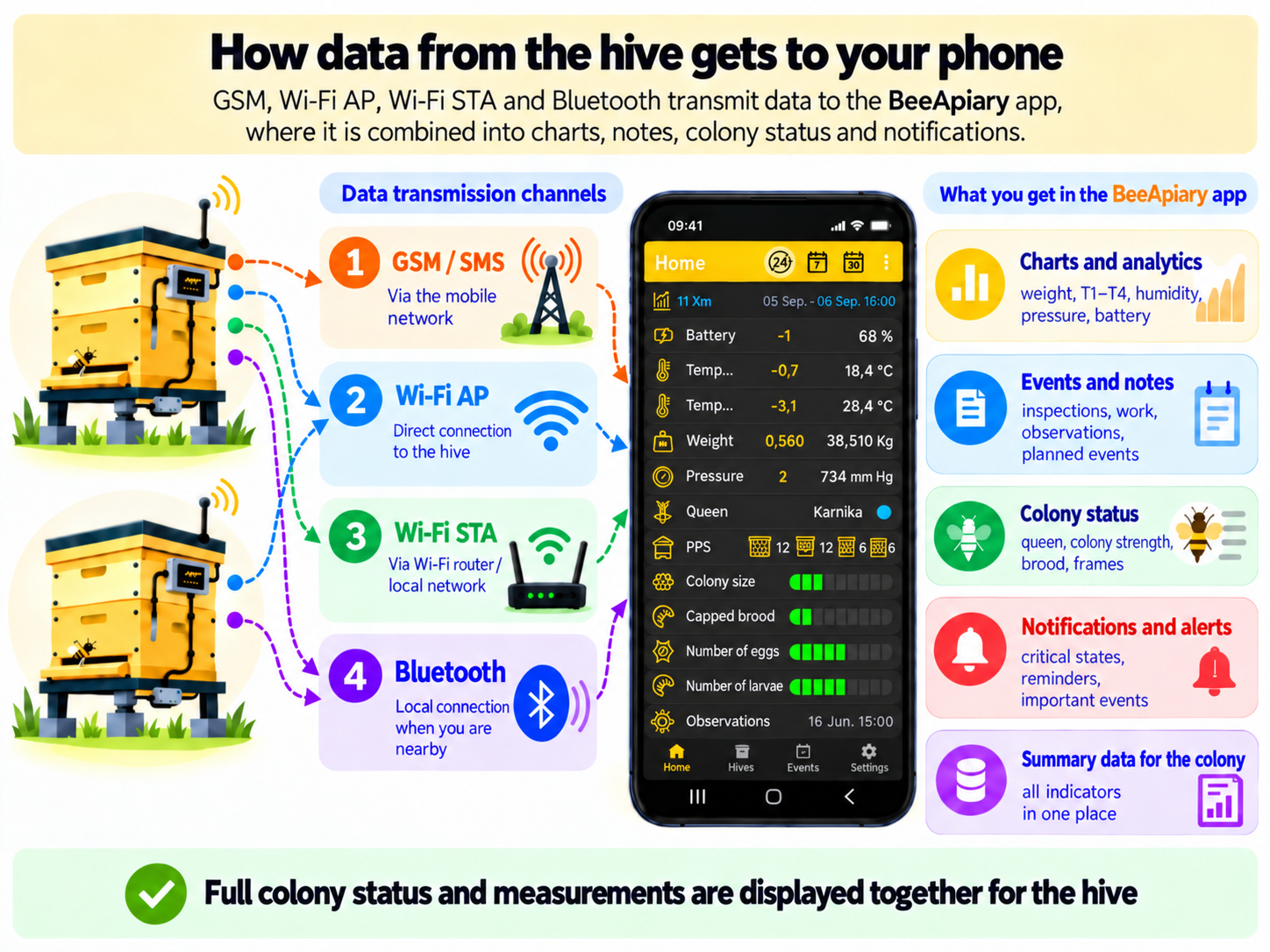
For a channel comparison, see Receiving Data in the App.
Beekeeper Notes and Apiary Journal
The app is designed for fast and convenient apiary and hive management. Voice input lets you record events and hive conditions without typing, while 🏷️ NFC helps identify the hive automatically.
Journal and hive state
- 🐝 Colony strength and condition, brood and larva counts, swarming status, and aggression
- 👑 Queen year, breed, condition, and productivity
- 💚 Hive condition, number of brood frames, honey supers, drawn combs, and foundation
- 🧾 Hive-condition descriptions and records of planned and completed work
- 🚨 Critical-condition alerts
- ⏰ Reminders for scheduled events
- 🏷️ NFC hive identification with quick access to its data and updates
Measurements and analytics
- 🌡️ Temperature and 💧 humidity inside and outside the hive
- 📊 Measurement charts and analytics: ⚖️ weight, 🌡️ temperature, 💧 humidity, 🧭 pressure, and 🔋 battery status
- ✅ Table-based data processing and advanced analytics with full access to every record
Apiary forecasts
- 🐝 Interactive bee-flight forecast for 1–5 days
- 🌤️ Interactive weather forecast for 1–5 days with hourly values and guidance
- 🌼 Pollen and nectar forecast — feature in development
Storage and connectivity
- ⭐ Local storage of all data without server dependency, plus free transfer and synchronization through Google Drive
- 📶 Data reception through SMS, Wi-Fi, or Bluetooth; the phone must be near the device for direct Wi-Fi and Bluetooth
- 🏠 Full operation both with hive-monitoring devices and independently with notes, events, and hives
- 🚀 The app is actively developed and continuously improved
For an overview of the main controls, see App Home Screen.