Additional App Settings
Additional settings control data filtering, the app's appearance, event display, and local synchronization via Bluetooth.
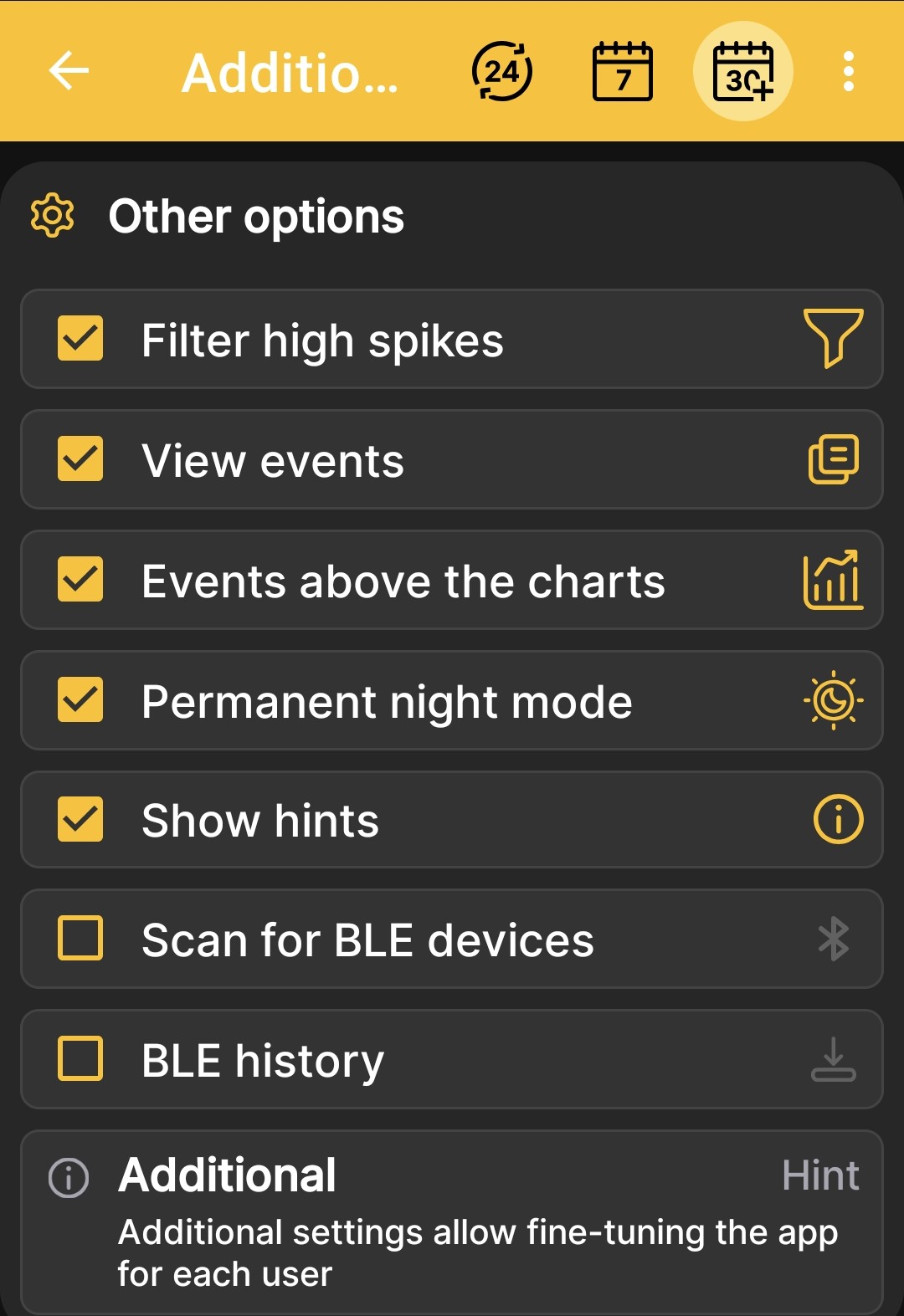
| Setting | Purpose |
|---|---|
| Filter high spikes | Removes occasional sharp measurement spikes from the display. |
| View events | Shows events recorded for the hive. |
| Events above the charts | Affects only the graphical view and controls the layer order: events are drawn over charts or charts are drawn over events, depending on the switch state. |
| Permanent night mode | Keeps the app's dark theme enabled at all times. |
| Show hints | Shows help panels on app screens. |
| Scan for BLE devices | Lets the app find nearby BeeApiary beehive scales and receive available data from them via Bluetooth. For correct operation, BLE info must be enabled on every scale you want to synchronize. |
| BLE history | Receives a longer measurement history together with current data via Bluetooth, up to one week within the history available on the device. This is useful if you visit the apiary about once a week. |
For the last two settings, follow the complete Set Up Bluetooth Synchronization guide.
Do Not Confuse the Two Screens
This page describes settings in the Android app. Hardware options and communication channels of the BeeApiary beehive scales are described under Additional Device Settings.